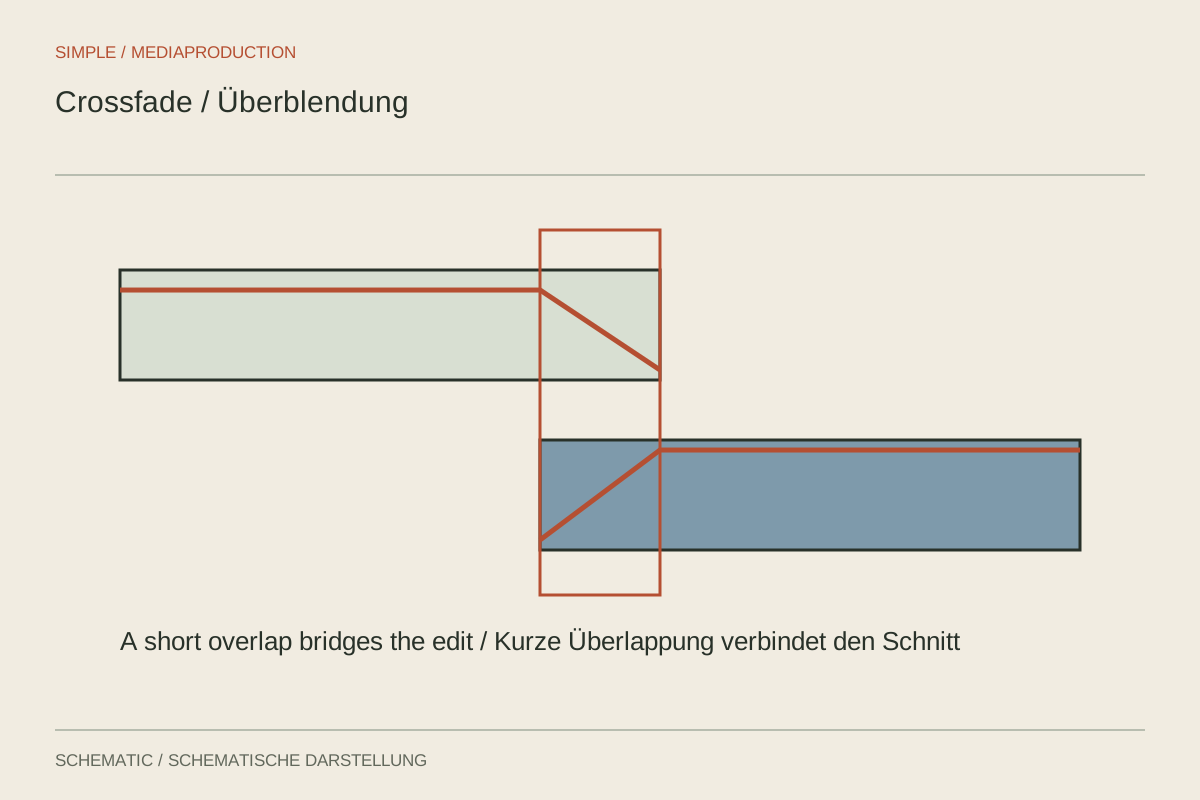
A picture cut can be visible without causing trouble. An unintended audio click is often noticed immediately. Short fades help smooth abrupt signal changes and connect room ambience, but their length and shape should fit the material. Applying a long default fade to every edit can damage speech instead.
Place the edit correctly first
Listen to each side separately. Does the boundary cut through a consonant, breath or trailing word? Move it to a less conspicuous location where possible. A fade cannot completely restore a sound already cut away. Check that sufficient unused material exists for an overlap as well.
Zoom into the timeline when a brief click is difficult to locate. A very short fade-in or fade-out may be enough for one transition. Changes in room ambience may require a longer overlap. Afterwards, listen within the normal sentence rather than judging only the enlarged waveform.
Understand the overlapping signals
Both audio pieces are audible during a crossfade. With similar or identical material, their combination may change level and tone. If the transition becomes louder or hollow, try a different curve, shorter duration or another edit position. No single fade shape suits every pair of signals.
Overlapping different words may create a moment of double speech. Simply lengthening the fade will not solve that. Establish clean speech boundaries and, where useful, place suitable room tone beneath the transition. This lets the ambience continue without making the words collide.
Preserve believable pauses
An edit between interview passages often needs some breathing space. Removing every breath can make a technically smooth join feel rushed. Listen for whether someone could naturally speak the assembled sentence. A brief pause is sometimes the essential connection between two ideas.
Pay particular attention to clip beginnings and endings. An overly long fade-in can soften the first consonant, while a fade-out can lower the final sound too early. Longer transitions may suit music and ambience, but are often unsuitable for tightly edited dialogue.
Check the exported join on headphones and within the neighbouring sentences. When trying alternatives, change the edit position first, then duration, then shape. This makes it easier to identify which adjustment actually improves the click, level jump or unnatural breathing rhythm rather than accumulating changes without a clear reason.