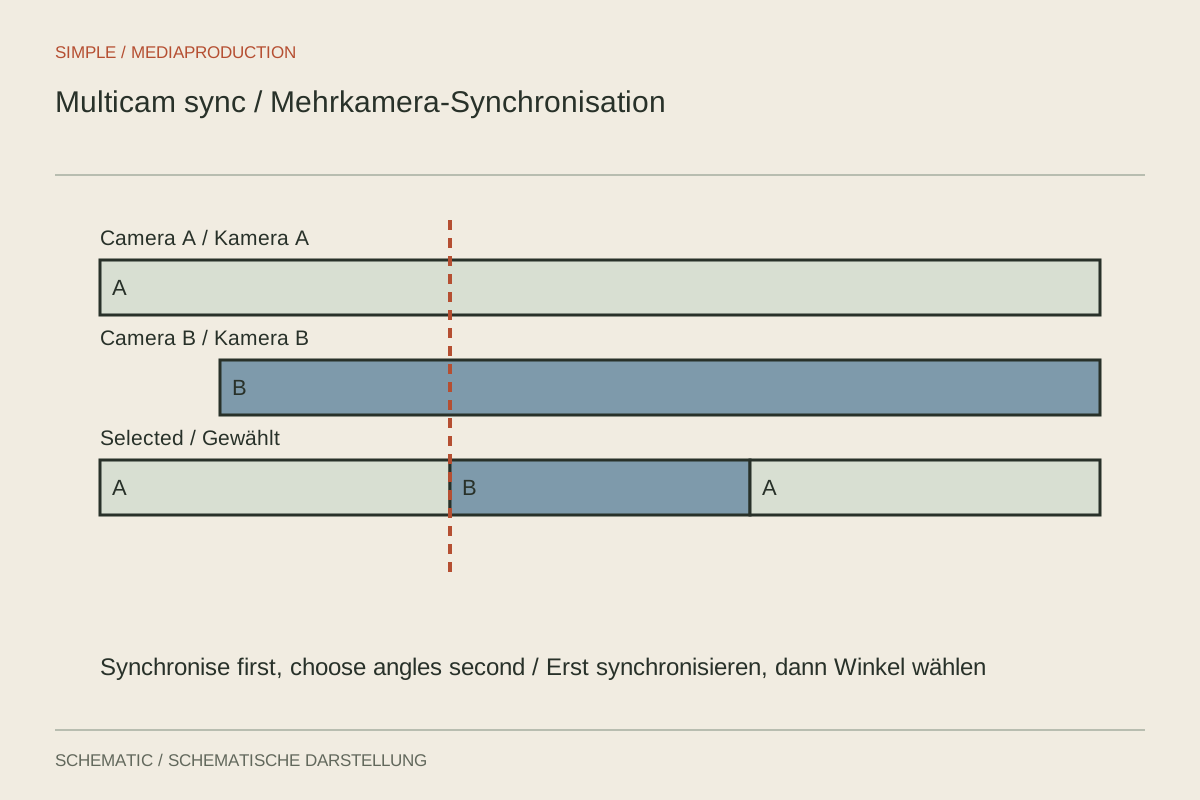
Two perspectives make an interview more flexible, but do not automatically make it clearer. Before editing, recordings must agree in time and the sound source must be established. A multicam clip combines synchronised views into an editable unit. It is especially useful when cameras run continuously and angle changes are chosen later according to content.
Organise sources before combining them
Clearly label cameras A and B and external sound. Establish which devices recorded continuously and where restarts occur. Two files with similar durations are not necessarily the same take. Use slate, log and reference sound for identification. Preserve originals and work with clearly named project bins.
Check frame rates and audio properties. Different resolutions can work in one project, but require deliberate scaling. A vertical and a horizontal camera do not automatically provide interchangeable views. Establish the intended output framing before judging the rhythm of angle changes.
Verify synchronisation rather than merely running it
Depending on the material, software may synchronise using timecode, common markers or audio waveforms. The method must suit information actually present. Two camera clocks showing approximately the same time are not automatically precise shared timecode.
After assembly, inspect a visible transient and spoken passage. Also check near the end of long takes. If a camera stops, do not append its next file without verification. Gaps and restarts must remain at their correct positions within the common source sequence.
Keep sound independent of picture changes
A continuous external recording can provide the main interview sound. Switching from camera A to B should then not automatically select their different camera microphones. Inspect the application's audio-follow or switching options. The appropriate setting depends on the project, but must be chosen deliberately.
Keep reference tracks clearly labelled and muted where appropriate. Play a short series of angle changes. If room sound or level changes on each cut, audio routing may be switching unintentionally. Resolve this at the source before creating numerous individual corrections.
Switch for eyeline and content
An alternative view is especially useful when it adds something: a gesture, reaction or closer view of an important thought. Avoid cutting at a rigid interval. Two very similar perspectives can resemble small image jumps even when synchronisation is correct.
A reaction shot should belong to the actual situation. Presenting an expression recorded later as an immediate reaction can change meaning. Also inspect eyelines and the speakers' spatial relationship. A technically available angle need not be used at every opportunity.
Export a short complete test
Before the long edit, create a brief sequence containing both views, a camera restart and the intended audio. Export it and check picture, sound and scaling. This exposes nested-sequence or channel-routing problems before the entire episode depends on them.
Retain the synchronised source sequence separately from the edited target. If a sync error appears later, its cause can be traced there. Document which camera supplies the wider and closer views so another editor can understand both decisions and fallback options.
Handle a missing angle deliberately
If camera B was not recording during an answer, that region remains a genuine gap in the source sequence. Use camera A or other relevant material there. Do not cover it with a temporally incorrect B clip merely to provide two angles everywhere. Inspect the gap in the export, since a multicam preview may retain a previously visible frame and initially make the missing recording less obvious.